Know it is your phone
Your own ringtone stands out in a room full of default ones.
Pick the best 30 seconds, add fades, put it on your phone.
Pick a start and end to the tenth of a second (30 seconds by default), add fades, and save a WAV. Android plays it straight away; on iPhone, set it through GarageBand.
Drop an audio file here or
MP3, WAV, M4A or FLAC, up to 20 MB
A 30-second ringtone from the chorus, 0:45 to 1:15, with short fades.
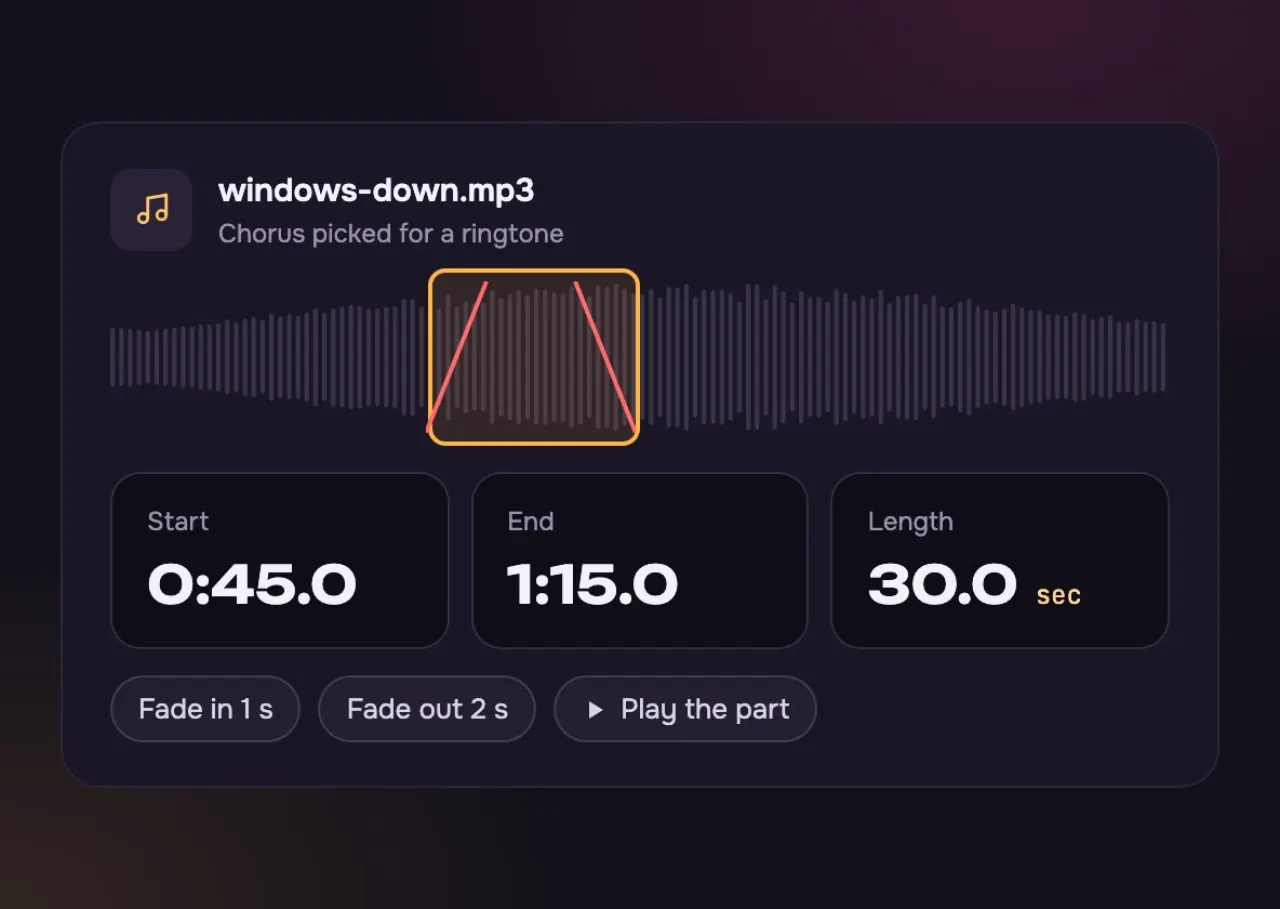
Begin a beat before the chorus, so the first ring is the part people know.
Set any start and end to the tenth of a second.
A short fade at each end, so it never starts or stops with a click.
What you can set and what you take away.
Three steps, then put it on your phone.
Choose an MP3, WAV, M4A or FLAC up to 20 MB, or a song you made here.
Drag the start and end, or type them. Add a fade at each end.
Save the WAV, then follow the steps for Android or iPhone below.
Short, clear and yours.
Your own ringtone stands out in a room full of default ones.
Play it through, then keep the 30 seconds you never skip.
Two paths, depending on the phone.
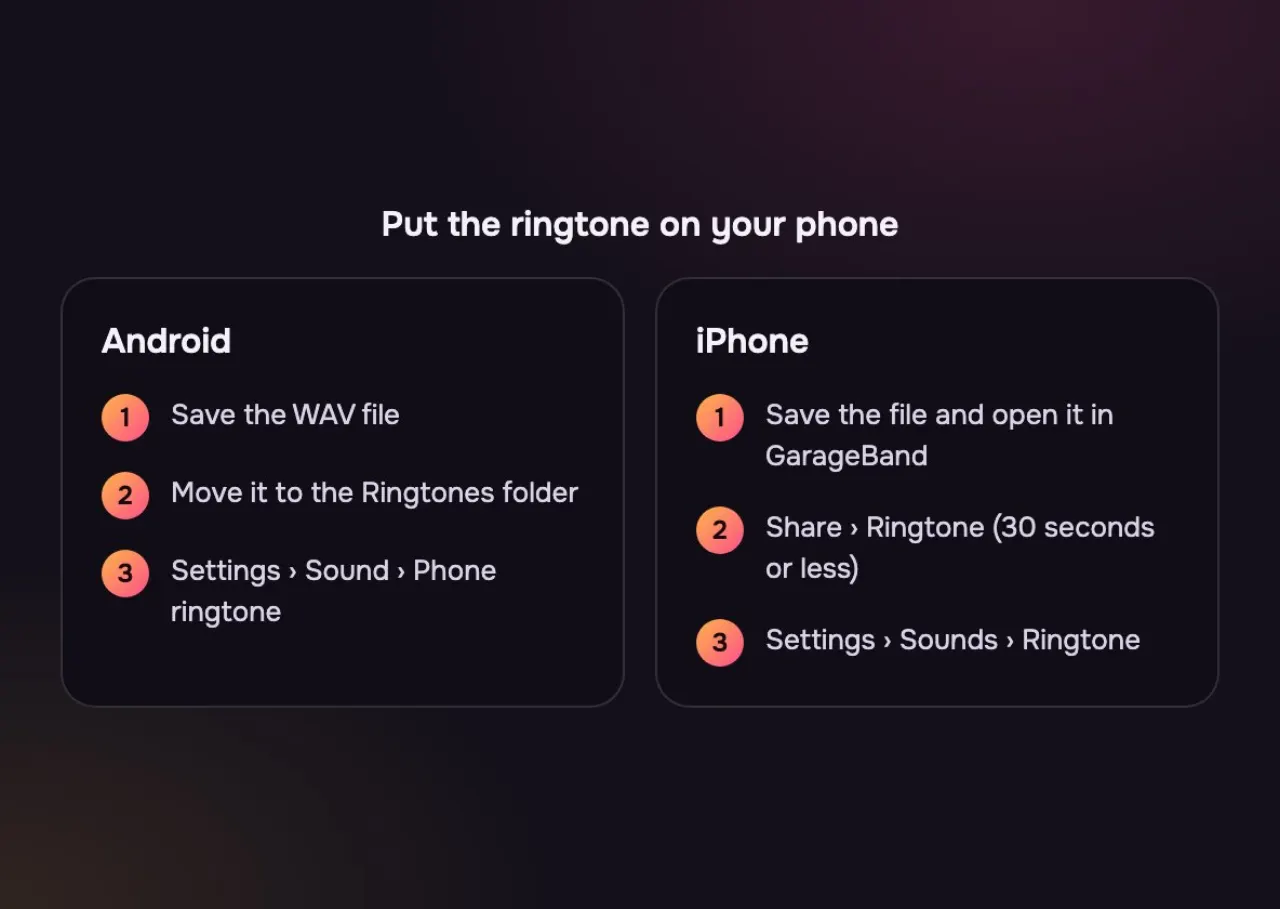
Copy the WAV to your phone, then pick it in Settings, Sound, Phone ringtone.
Save it to Files, open it in GarageBand, then use Share and Ringtone.
30 seconds or less works on every phone.
The same WAV works on both. Only the last step is different.
| Android | iPhone | |
|---|---|---|
| File | Android: The WAV, as it is | iPhone: The WAV, through GarageBand |
| Length | Android: Any length | iPhone: 30 seconds or less |
| Set it in | Android: Settings, Sound, Phone ringtone | iPhone: GarageBand: Share, Ringtone, then Settings, Sounds |
| Needs a computer? | Android: No | iPhone: No |
Keep it to 30 seconds or less, which is our default. GarageBand turns the WAV into a ringtone on the phone, with no computer needed.
Copy the WAV to the Ringtones folder on your phone, or open Settings, Sound, Phone ringtone and pick the file.
The chorus or the opening hook. Start right on a beat and keep the fade short, so it sounds like the song from the first second.
Pick a louder part of the song, like the chorus, and keep the fade in short or turn it off.
No. Songs in streaming apps are locked to the app. Use a file you own, or make your own song here.
Load Windows Down from the button under the drop zone. It starts on the first 30 seconds; drag the start to the chorus to hear the part people would know.
Not covered here.Ask us something else
Make a song of your own with AI, then cut it into a ringtone. Two full songs in about a minute.
Make my own songTwo free songs, no account needed.