
Video makers
Cut a 15 or 30 second part of a song to fit your clip, with a soft fade at the end.
Pick the part you want on the waveform, fade it and save it.
Drop in an MP3, WAV, M4A or FLAC file up to 20 MB, drag the handles on the waveform or type the times to a tenth of a second, add a fade in or out of up to 3 seconds, and save the part as a WAV. No watermark, no account.
Drop an audio file here or
MP3, WAV, M4A or FLAC, up to 20 MB
We cut 30 seconds out of “Lisbon in Our Eyes”, an anniversary song made here.
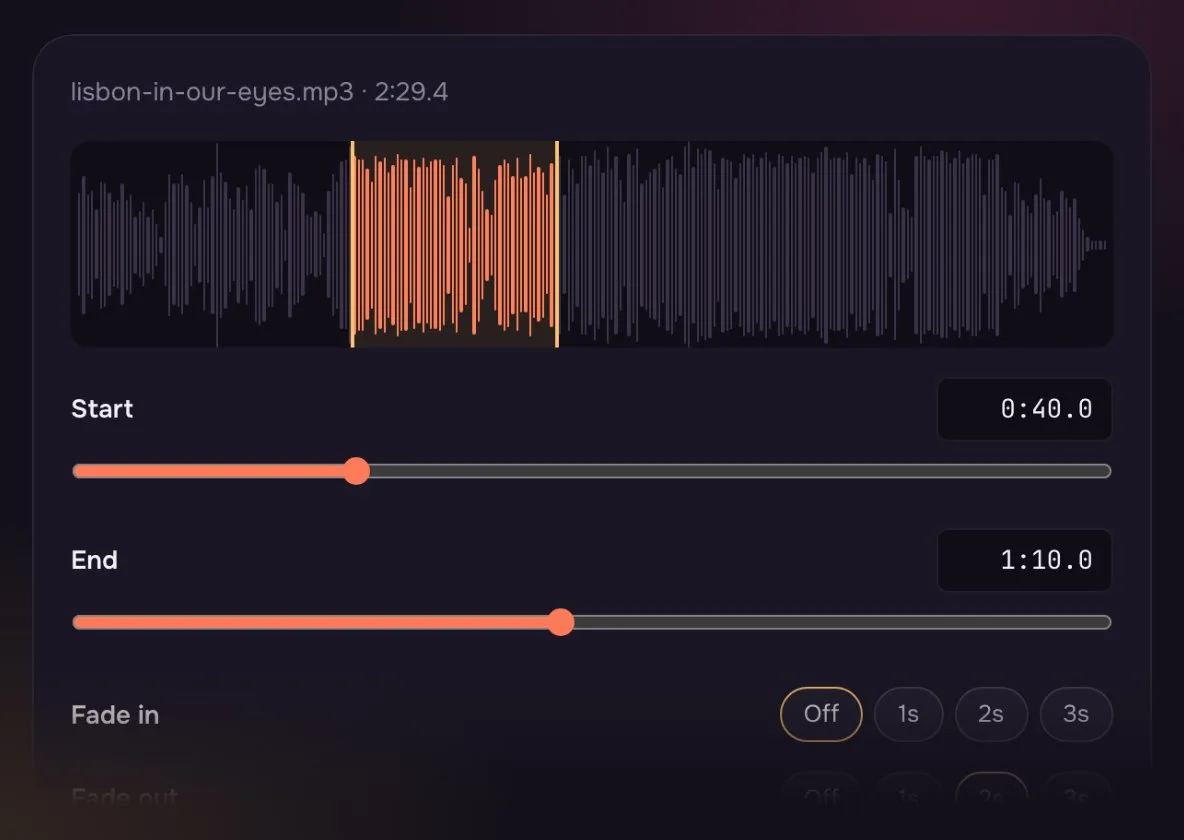
Pull the handles to the start of the chorus, then type the exact second if you need it.
The clip ends softly instead of stopping mid-word.
Play the part before you save, and move a handle if it starts too late.
Everything it does, in one table.
About as long as it takes to find the part.
Drop an MP3, WAV, M4A or FLAC file onto the box, up to 20 MB.
Drag the handles on the waveform or type the start and end. Add a fade if you like.
Hear the part, then save it as a WAV.
For clips, intros and lessons.
Cut a 15 or 30 second part of a song to fit your clip, with a soft fade at the end.

Keep just the warm-up part of a track, or one line of a recording for a lesson.
Which fade to pick for the clip you are making.
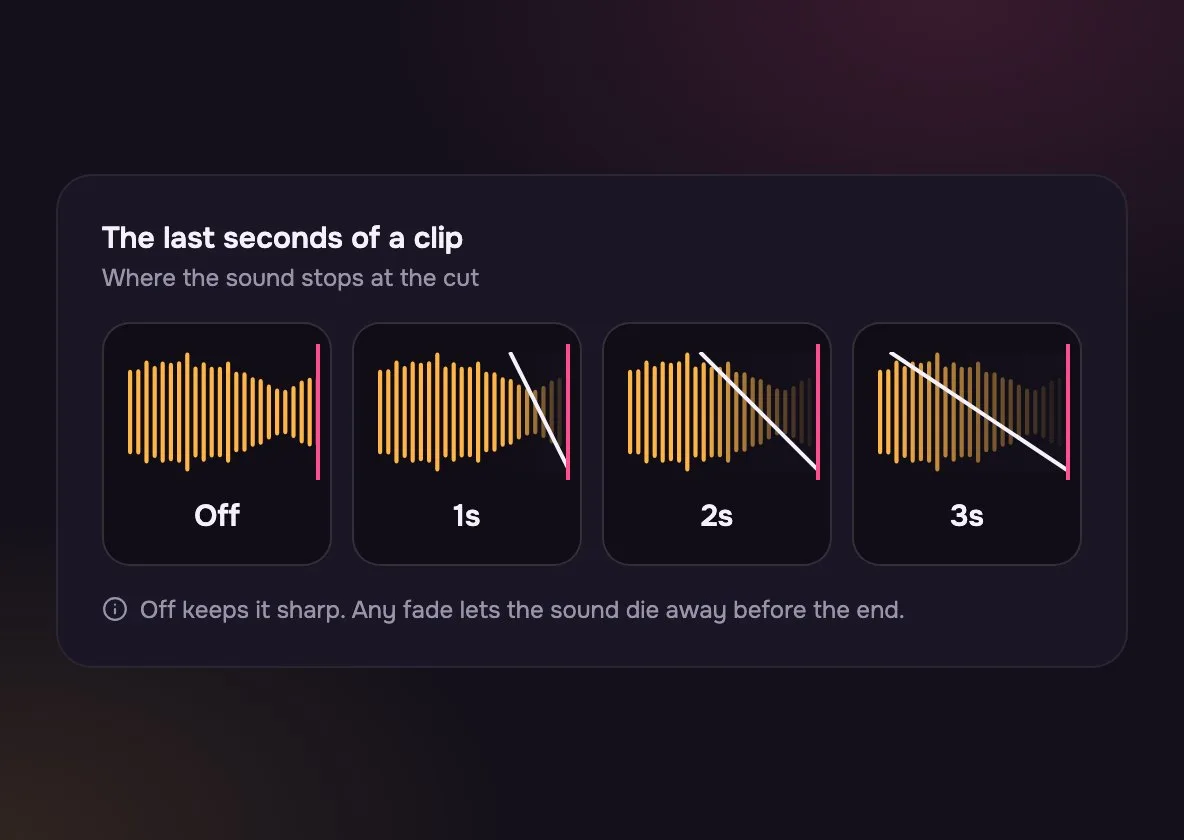
Best when you cut on a beat or at a pause. Anything else clicks.
Good for most clips: the end of a video, a podcast bed, a phone alert.
A long, gentle ending for intros and slow songs.
Pick by what you are making.
| Audio Cutter | Ringtone Maker | Desktop editor | |
|---|---|---|---|
| Install | Audio Cutter: None | Ringtone Maker: None | Desktop editor: An app |
| Made for | Audio Cutter: Any clip, any length | Ringtone Maker: A short phone ringtone | Desktop editor: Long edits in many parts |
| Fades | Audio Cutter: Up to 3 seconds | Ringtone Maker: Set for ringtones | Desktop editor: Any length |
| Join parts | Audio Cutter: No, keeps one part | Ringtone Maker: No | Desktop editor: Yes |
Need to remove a part in the middle? Cut the two parts you want to keep and join them in a desktop editor.
Yes. No account, no watermark and no limit on how many files you cut.
No. The part you keep is saved as a WAV, which keeps the full sound of the file you dropped in.
Yes, but the Ringtone Maker is quicker: it starts with a short part and soft fades already set.
No. The cut is made in your browser and the new file saves straight from your device.
Songs, voice memos and recordings saved as MP3, WAV, M4A or FLAC, up to 20 MB (OGG works in most browsers). Video files will not open, so save the sound first.
Load Lisbon in Our Eyes from the button under the drop zone and try cutting out the chorus or the intro.
Drag the start handle, or nudge it a tenth of a second at a time, until it sits just before the first sound. If the cut clicks, add a one-second fade in.
Not covered here.Ask us something else
Describe the mood and length you need and hear two new tracks in about a minute.
Make a 30-second clipTwo free songs, no account needed.