
Runners and coaches
Build a playlist at the step rate you want, from 150 to 180 BPM for a steady run.
Drop in a file and get its tempo, with the half and double time.
Drop in an MP3, WAV, M4A or FLAC file up to 20 MB and the BPM Finder shows the tempo, the half- or double-time reading, and the key with its Camelot code. It listens in your browser, so the song is never uploaded.
Drop an audio file here or
MP3, WAV, M4A or FLAC, up to 20 MB
We ran “Rain Notes”, a rainy study beat made here, through the BPM Finder.
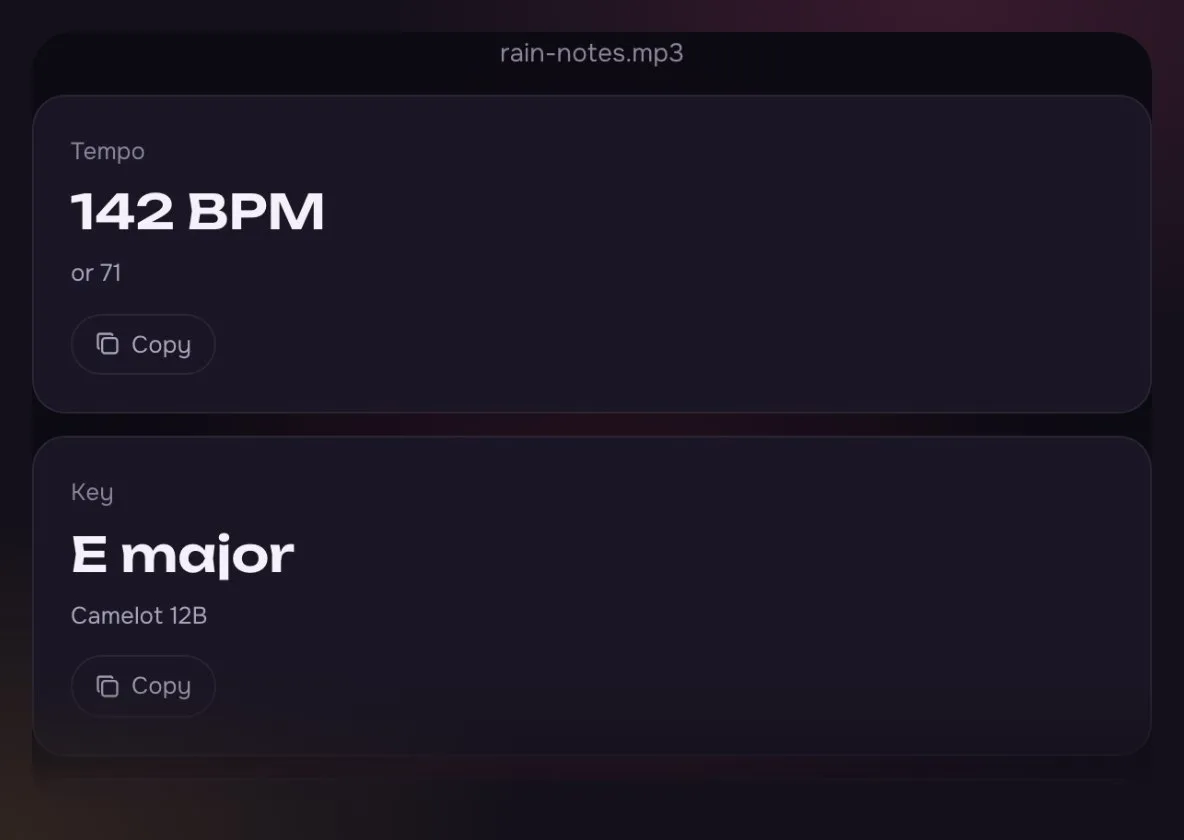
The beat has a hi-hat on every half step, so the count can land on either. Nod along and you feel 71.
The key and its Camelot code come with it, for a DJ set or a new song in the same key.
Lofi sits around 70 to 90 BPM, so 71 is the number to use here.
What goes in, what comes out.
A few seconds from file to number.
Drop an MP3, WAV, M4A or FLAC file onto the box, up to 20 MB.
See the BPM and its half- or double-time partner, then copy the one that matches how you count.
Set your metronome, sync a video edit, or make a new song at the same tempo.
Anyone who moves, mixes or edits to a beat.
Build a playlist at the step rate you want, from 150 to 180 BPM for a steady run.

Line up songs at a similar tempo so the class or the floor never loses the beat.
Half time and double time are the same beat, counted on different notes.
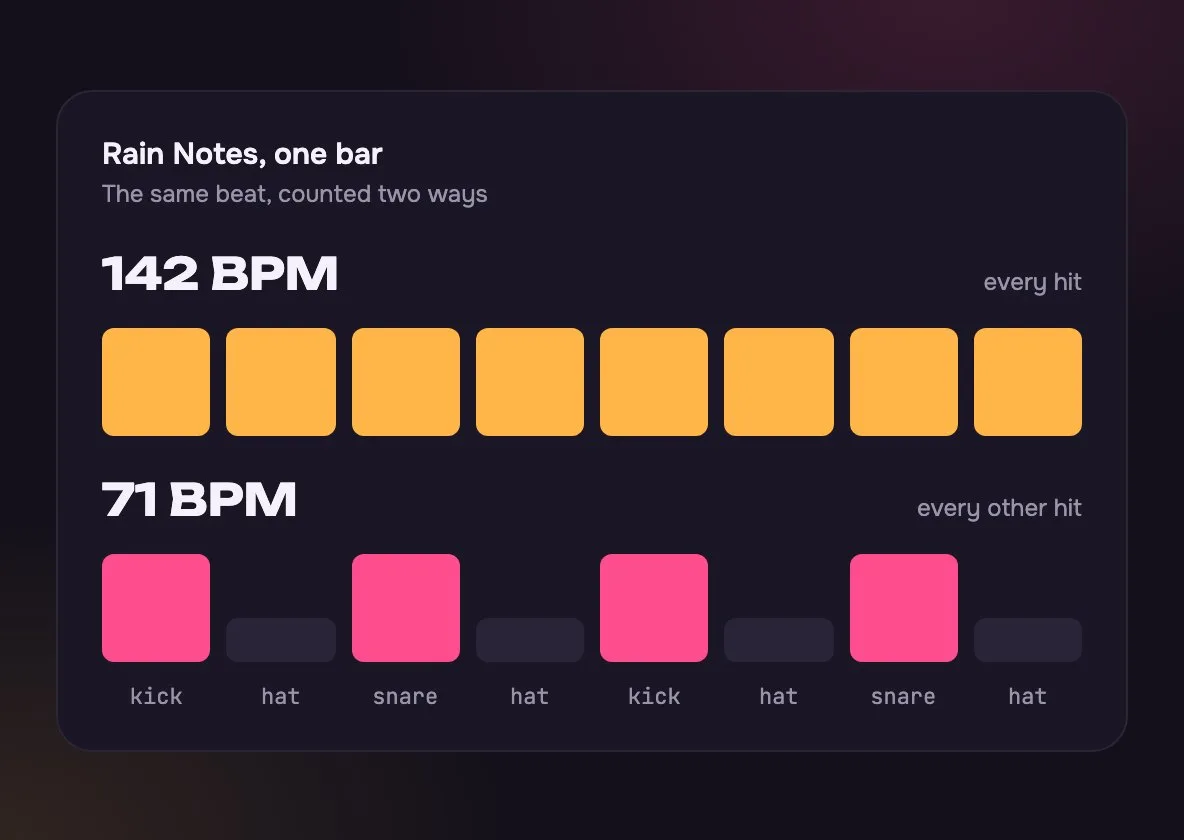
Counting each hi-hat gives 142. That suits a drummer or a fast dance.
Counting the kick and snare gives 71. That is how most people nod their head to it.
A live take that speeds up shows its main tempo. Cut the part you need with the Audio Cutter and run it alone.
From a file, by tapping, or by counting with a clock.
| BPM Finder | Tap Tempo | Count by hand | |
|---|---|---|---|
| You need | BPM Finder: The audio file | Tap Tempo: Just the song playing | Count by hand: A clock |
| How | BPM Finder: Drop in the file | Tap Tempo: Tap a key on each beat | Count by hand: Count beats for 15 seconds, times 4 |
| Best for | BPM Finder: Exact tempo | Tap Tempo: A song on the radio | Count by hand: A quick guess |
| Also gives | BPM Finder: Key and Camelot code | Tap Tempo: Tempo only | Count by hand: Tempo only |
A link from a streaming app cannot be read. Use a file you have, or play the song and tap along.
That is double time: the same beat counted on every hit instead of every other one. We show both, so copy the one that matches how you count.
Very close on songs with a steady beat, like most pop, dance and hip-hop. Live takes that speed up, or songs with no drums, are harder, so tap along to check.
As a rough guide: ballads 60 to 80, lofi and hip-hop 70 to 95, pop 100 to 130, house 120 to 128, and drum and bass around 170.
No. The beat is counted in your browser, on your device, and nothing is sent to us.
MP3, WAV, M4A and FLAC up to 20 MB, and OGG in most browsers. Video files and protected downloads will not open.
This page needs a file on your device. For a song you can only stream, open Tap Tempo, play the song and tap on each beat; the number settles after about eight taps.
Yes. Tap the button under the drop zone to load Rain Notes, a lofi song made here. It reads 142 BPM, with 71 as the half-time option, in E major.
Open the Pitch Shifter and move the speed between 50% and 150% without changing the key, or use Slowed + Reverb to bring it down to 70% with a softer, roomy sound.
Not covered here.Ask us something else
Describe a mood and a tempo and hear two full songs in about a minute.
Make a 71 BPM lofi beatTwo free songs, no account needed.