
Arrangers
Pull the vocal line out of a demo and hand it to strings, a synth or a horn section.
Turn the melody in a song into notes you can see, play and edit.
Drop in an MP3, WAV, M4A or FLAC up to 20 MB, or record up to 2 minutes, and the converter writes the notes it hears onto a piano roll. Play them back, then download a MIDI file. It follows one voice or instrument at a time.
Drop an audio file here or
MP3, WAV, M4A or FLAC, up to 20 MB
We ran the vocal of “Saturday Is Ours”, an indie pop song made here, through the converter.
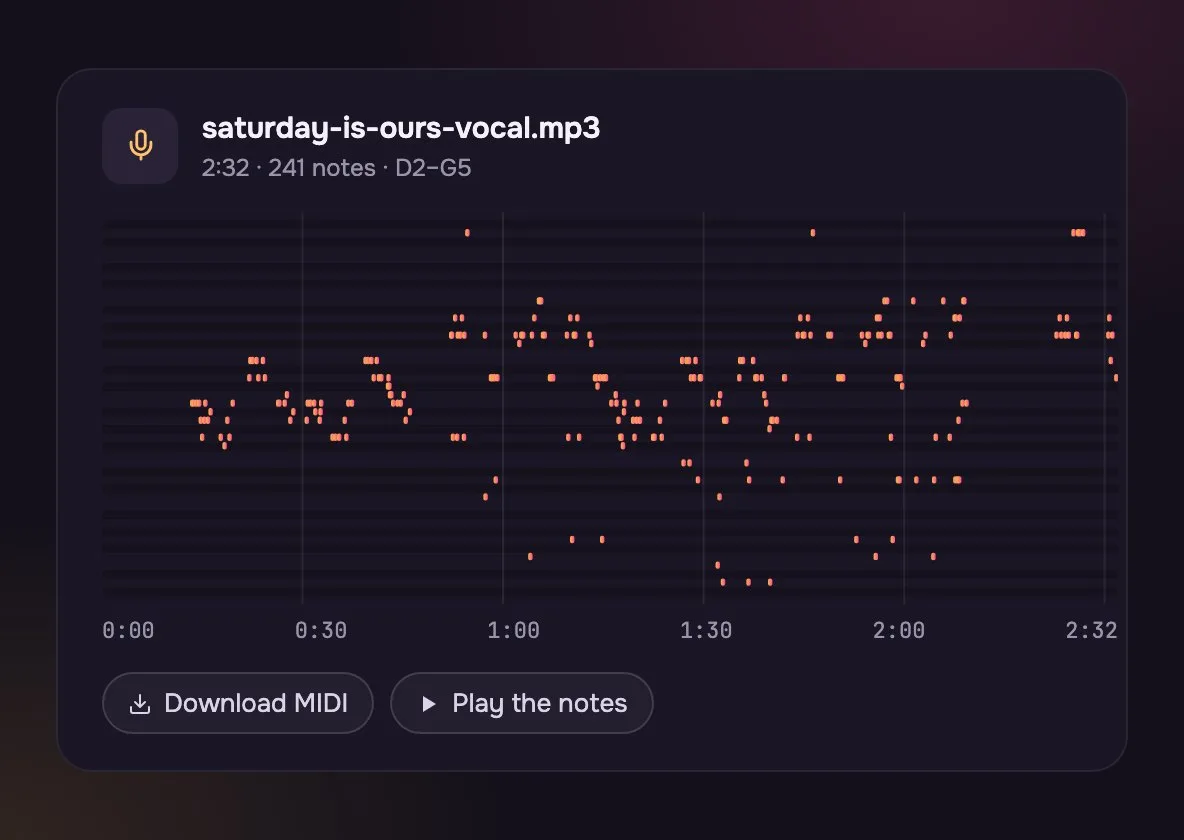
Every sung note of the 2:32 song, with its pitch, its start and its length.
Play the piano roll back in the browser to check it before you save.
Download the MIDI, drop it on a track and give the vocal line any instrument.
What it reads, and what you get back.
From a file or your voice to MIDI.
Drop in an MP3, WAV, M4A or FLAC up to 20 MB, or press record and sing or play up to 2 minutes.
See them on the piano roll and play them back.
Save the file and open it in GarageBand, FL Studio, Ableton or Logic.
For anyone who hears a line and wants to write it down.
Pull the vocal line out of a demo and hand it to strings, a synth or a horn section.

Show a student the shape of a tune they love, note by note, then slow it down.
The same song, converted twice. Pull out one part first and the notes come out clean.
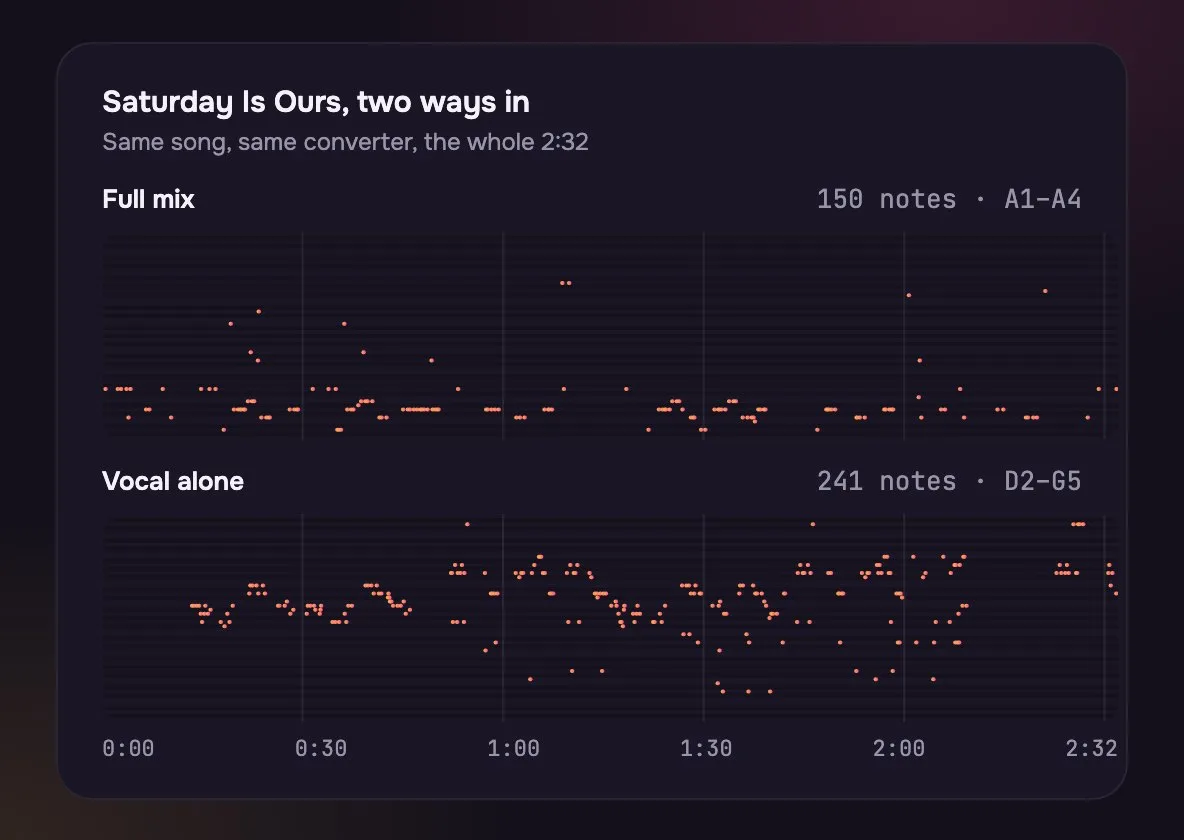
Drums, bass and guitar get in the way, so it jumps between parts and misses words.
After the Vocal Remover took the vocal out, every phrase came through.
An MP3 is sound and a MIDI is a list of notes. Turning one into the other means listening for the notes, not renaming a file.
The cleaner the part, the cleaner the notes.
| Full song | One part split out | You, recorded | |
|---|---|---|---|
| How | Full song: Drop in the MP3 | One part split out: Split it first, then drop in the part | You, recorded: Press record and sing or play |
| Notes | Full song: Rough, parts mixed up | One part split out: Clean | You, recorded: Clean, if the room is quiet |
| Best for | Full song: A quick sketch | One part split out: A real part for your DAW | You, recorded: An idea you just had |
| Cost | Full song: Free | One part split out: Credits for the split, then free | You, recorded: Free |
Working with a stem or a DAW bounce instead of a whole song? WAV to MIDI covers that.
It follows one note at a time, so a full mix comes out messy. For each part, split the song first with the Stem Splitter or Vocal Remover, then convert the part.
MIDI holds only notes, not the voice or the sound. Pick an instrument for the track in your DAW, and fix any stray notes on the piano roll.
No, it reads one line. For chords, use the Chord Finder, which can also save them as MIDI.
No. The notes are found in your browser, so neither the MP3 nor the MIDI reaches us.
Any file up to 20 MB. For long songs, the first 4 minutes are read.
Yes. Load the sung line from Saturday Is Ours with the button under the drop zone. It turns into 241 notes, from D2 up to G5.
Take the voice or the instrument out on its own first with the Vocal Remover (that uses credits), then turn just that part into MIDI. One clear line gives far fewer stray notes than a full mix.
Not covered here.Ask us something else
Describe the tune you hummed and the mood, and hear two full songs with vocals in about a minute.
Make an indie pop songTwo free songs, no account needed.