Producers
Turn a sung idea into a synth or piano line, then change any note.
Turn a sung or played melody into notes you can edit.
Drop in a WAV, MP3, M4A or FLAC up to 20 MB, or record up to 2 minutes, and get a MIDI file of the melody on a piano roll you can play back. It reads one voice or instrument at a time, in your browser.
Drop an audio file here or
MP3, WAV, M4A or FLAC, up to 20 MB
A short sung line, read into a piano roll you can play back.
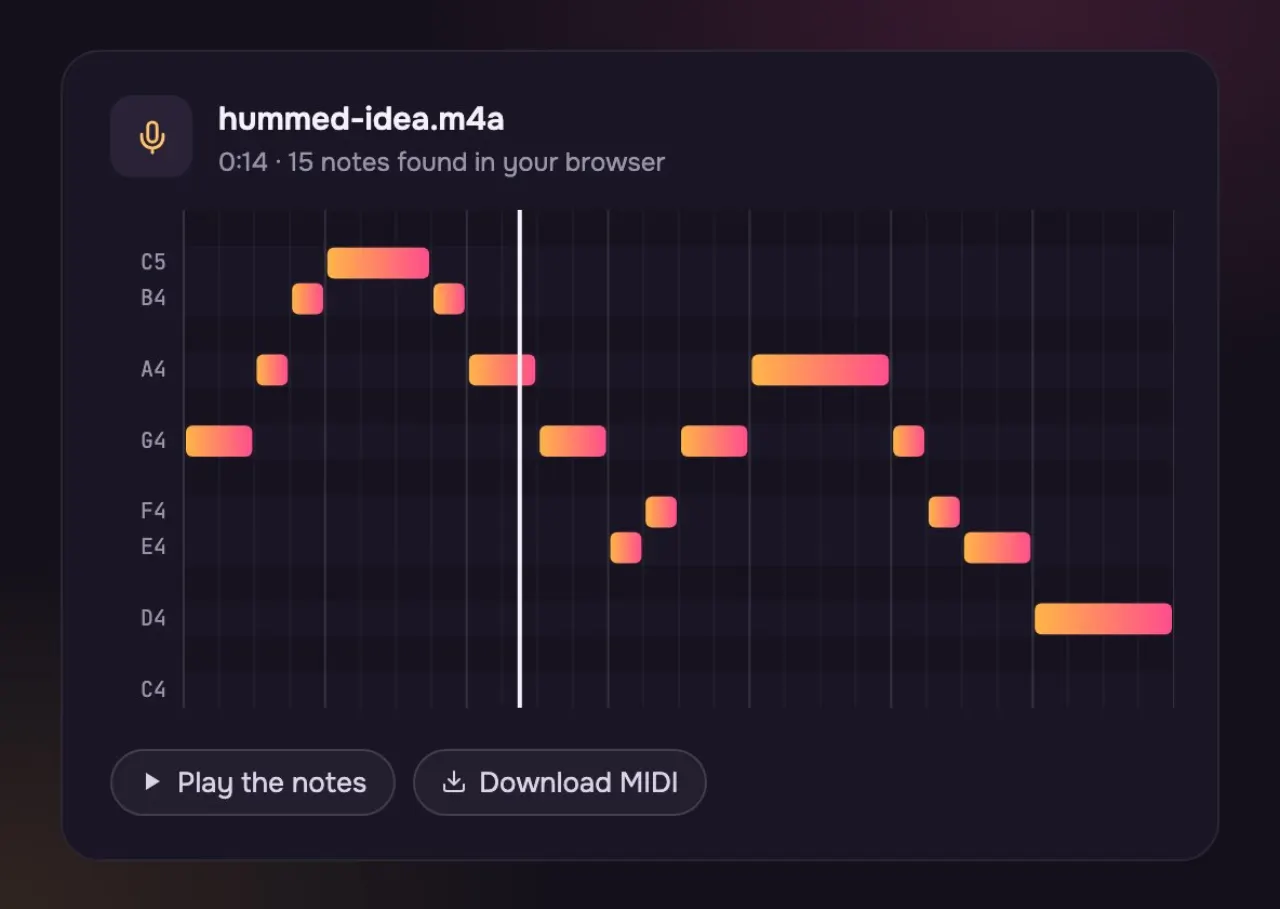
Each bar is a note: how high, when it starts and how long it lasts.
Play the notes in the browser before you download.
Download the MIDI file and pick any instrument for it.
What it reads and what you get.
Three steps, about as long as the recording.
Drop in a WAV, MP3, M4A or FLAC up to 20 MB, or record up to 2 minutes.
See the notes on a piano roll and play them back.
Save the MIDI file and open it in any DAW.
An idea on your phone becomes a part in your project.
Turn a sung idea into a synth or piano line, then change any note.

Hum the melody before you forget it, then keep it as notes.
The same melody: the sound itself, and the notes read from it.
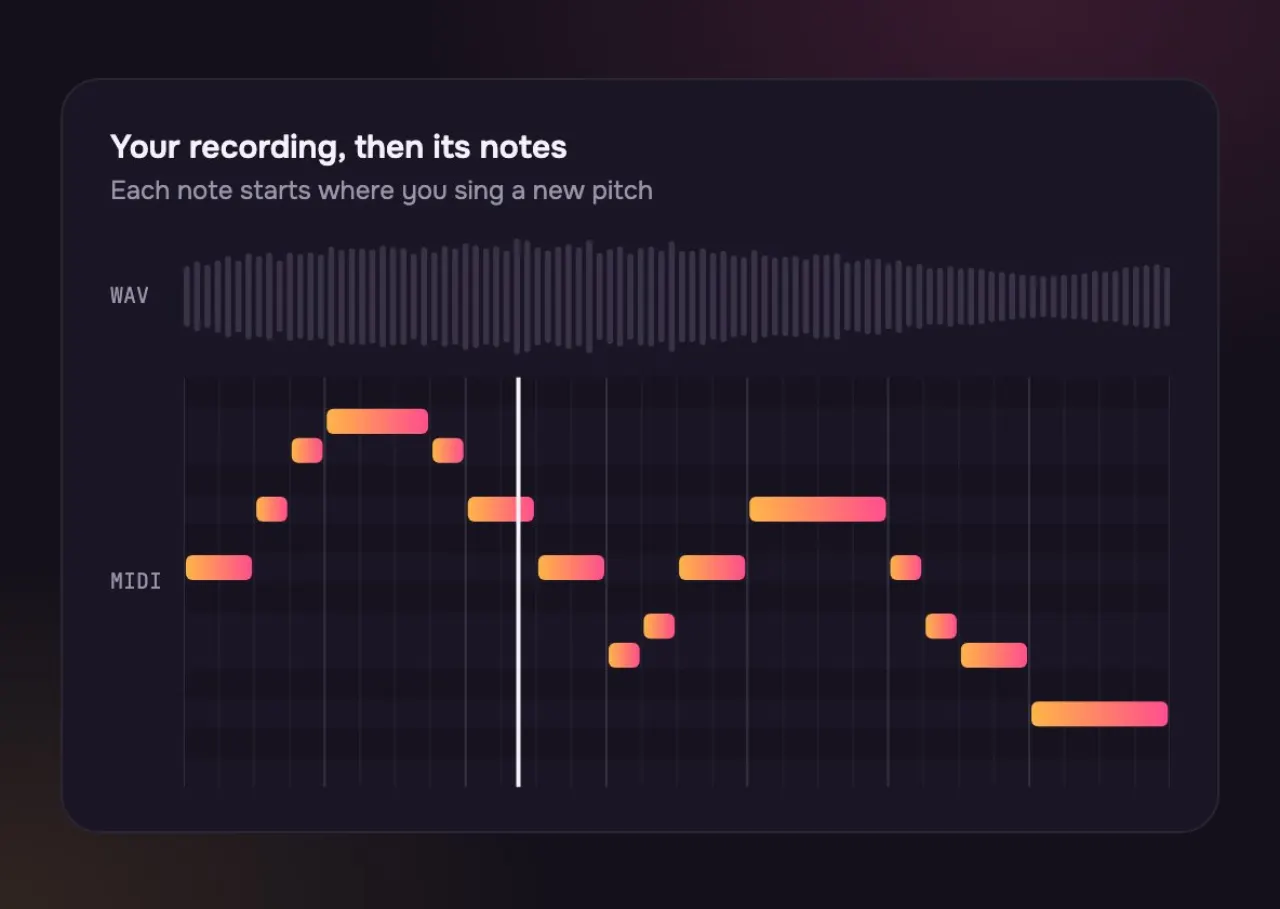
The recording: the voice, the room, the breath. You cannot move one note.
Only the notes. Move them, change the instrument, fix a wrong one.
Pull out one part with the Vocal Remover or Stem Splitter first, then convert it.
A WAV is a recording. A MIDI file is a set of notes.
| WAV (audio) | MIDI (notes) | |
|---|---|---|
| Holds | WAV (audio): The sound itself | MIDI (notes): Which notes, when and how long |
| Change the instrument? | WAV (audio): No | MIDI (notes): Yes, any instrument in your DAW |
| Fix one note? | WAV (audio): Hard | MIDI (notes): Drag it on the piano roll |
| File size | WAV (audio): Large | MIDI (notes): Tiny |
| Plays on | WAV (audio): Any player | MIDI (notes): A DAW or a MIDI player |
It reads one voice or instrument at a time. For a full song, pull out the part you want with the Vocal Remover or Stem Splitter, then convert that.
WAV, MP3, M4A or FLAC up to 20 MB, or record up to 2 minutes with your microphone. One voice or one instrument at a time works best.
The notes keep their real timing. The file is set to 120 BPM, so set your project to match or let your app follow the notes.
Yes. Record with the microphone for up to 2 minutes and sing or hum one note at a time.
Not well: it follows one line of notes. For chords, use the Chord Finder.
Use the button under the drop zone to load a sung line from Saturday Is Ours. It comes out as 241 notes between D2 and G5.
Yes. Use the microphone to record up to two minutes, then turn it into notes. Sing or play one line at a time for the cleanest result.
Not covered here.Ask us something else
Describe the song around your melody and get two full versions with AI in about a minute.
Make a song with AITwo free songs, no account needed.