Edit MIDI files online
Open a .mid file, or start from a blank roll. Move, add and remove notes on a piano roll, hear it back and download the edited MIDI.
Drop a .mid or .midi file up to 2 MB onto the editor. Each track opens on a piano roll; click to add notes, drag to move them, pull an edge to change a length and press Snap to grid to tidy the timing. Undo any step, press Play to hear it, then download the new file. It runs in your browser, so nothing is uploaded, and it is free.
Drop a MIDI file here
.mid or .midi, up to 2 MB. It opens in this tab and stays on your device.
- Files never leave your device
- Free, no sign-up
- Works with any .mid file
A melody, open for editing
A screenshot of the editor holding a tune from our Melody Generator.
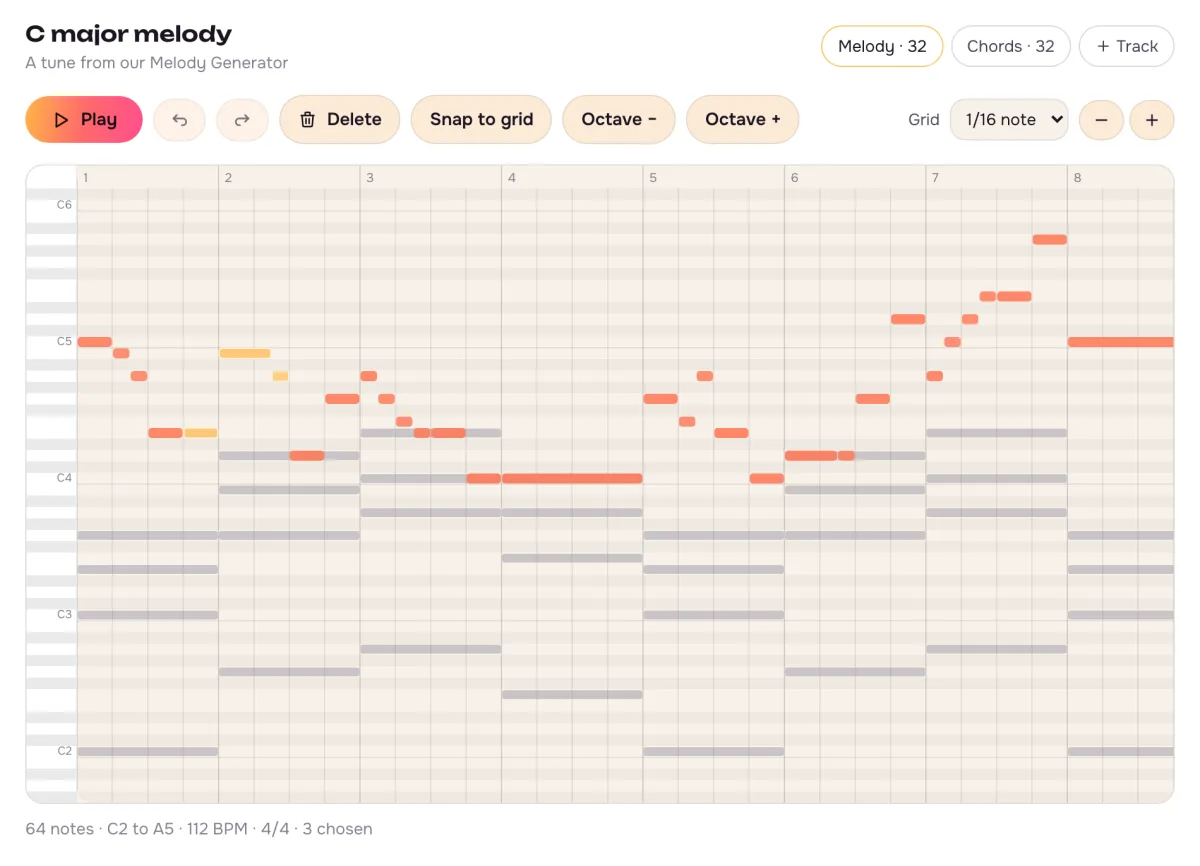
One tab per track
The melody and the chords open as two tracks. The one you are not editing stays visible, faded.
Chosen notes turn yellow
Shift-click to pick several, then move, delete or change their loudness together.
Grid from quarter to sixteenth notes
New notes, moves and Snap to grid all follow the grid you pick.
The MIDI editor at a glance
What goes in, what you can change and what comes out.
- Opens
- .mid and .midi files up to 2 MB, any number of tracks
- Or start from
- A blank roll, the Melody Generator or Audio to MIDI
- Notes
- Add, move, stretch, delete, move by an octave, snap to the grid
- Whole file
- Tempo from 40 to 240 BPM, up to 8 tracks
- Undo
- Up to 200 steps back, and forward again
- Saves
- A MIDI file with every track, its name and the tempo
- Where it runs
- In your browser tab; the file is never uploaded
Keys that save time
Click the roll first, then use these.
Up and down arrows
Move the chosen notes a semitone. Hold Shift to move them an octave.
Left and right arrows
Move the chosen notes one grid step earlier or later.
Ctrl or ⌘ with Z
Undo the last change. Add Shift to redo it.
Ctrl or ⌘ with A
Choose every note on the track; Escape clears the choice.
Delete or Backspace
Remove the chosen notes. A double-click removes a single one.
Space
Play from the start, or stop.
How to edit a MIDI file online
From a file on your computer to a fixed one, in one tab.
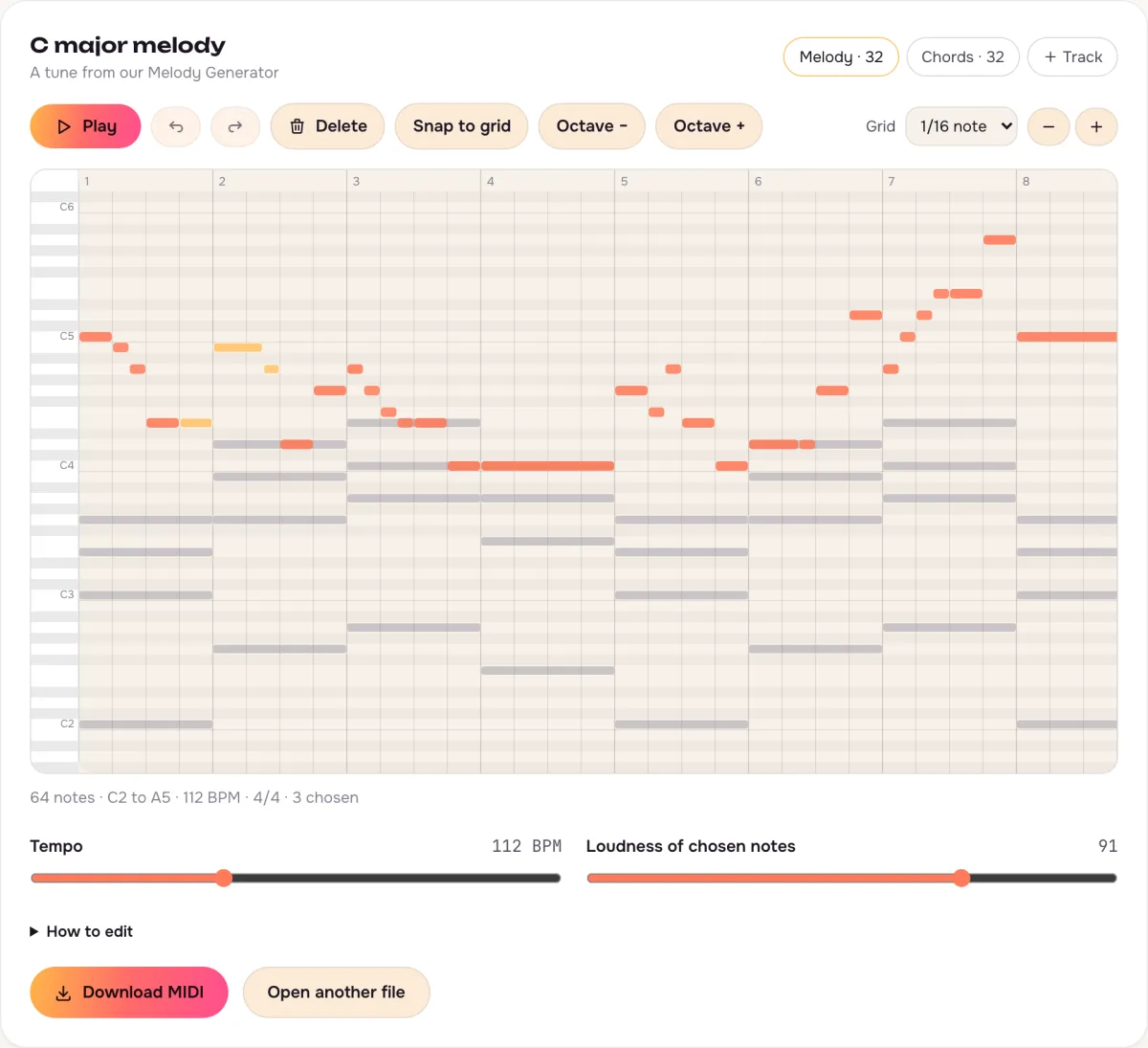
- 1
Open a MIDI file
Drop in a .mid file, start blank, or send notes over from the Melody Generator or Audio to MIDI.
- 2
Fix the notes
Click to add a note, drag to move it, pull its right edge to change its length, then snap the timing to the grid.
- 3
Save the MIDI
Press Play to check it, then download the edited file for your music app.
This editor, or the piano roll in your music app?
A music app does far more. This is for the quick fixes in between.
| MIDI Editor here | Piano roll in a music app | |
|---|---|---|
| Install | MIDI Editor here: Nothing, any browser | Piano roll in a music app: The app, on one computer |
| Open a file | MIDI Editor here: Drop it in | Piano roll in a music app: Make a project, then import |
| Sounds | MIDI Editor here: A simple synth to check notes | Piano roll in a music app: Any instrument you own |
| Best for | MIDI Editor here: Fixing a few notes, tempo or timing | Piano roll in a music app: Arranging and mixing a whole song |
Fix the notes here, then drop the file into your music app to pick the instruments.
From a generated tune to your own
Press Edit in the MIDI Editor under a melody or a converted recording, and the notes open here.
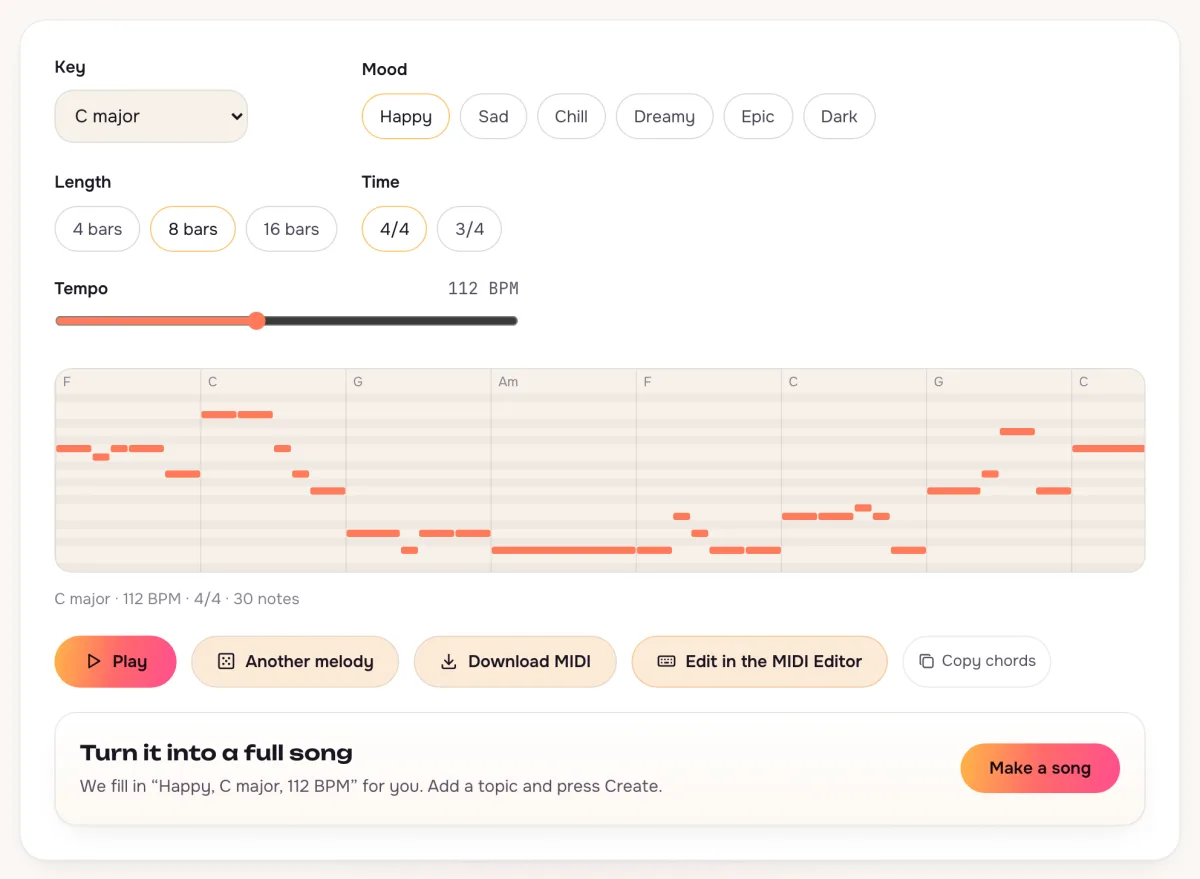
Melody Generator
The tune and its chords arrive as two tracks, at the tempo you set.
Audio to MIDI
Notes heard in a recording arrive ready to clean up: drop the stray ones, snap the rest.
Still on your device
The notes move from one page to the next inside your browser.
Questions about the online MIDI editor
Is the MIDI editor free?
Yes. Open, edit and download as many MIDI files as you like, with no account.
Does the MIDI editor upload my file?
No. The file is read and saved in your browser tab. Nothing is sent to us.
Which MIDI files does the MIDI editor open?
Standard .mid and .midi files up to 2 MB, single-track or multi-track. A file that counts time in video frames instead of beats will not open; save it again from your music app. Very long files open their first 5,000 notes.
Does the MIDI editor keep instruments and drum sounds?
It keeps the notes, the track names, the tempo and the time signature. Instrument choices, pedal and other controller moves are left out of the saved file, so pick the sounds in your music app.
Can I edit MIDI from the melody generator in this editor?
Yes. Under a melody, press Edit in the MIDI Editor. The melody and its chords open here as two tracks.
Does the MIDI editor work on a phone?
Yes. Tap the grid to add a note and drag a note to move it. A keyboard and mouse are quicker for long edits.
Not covered here.Ask us something else
Turn your melody into a full song
Describe the mood, add your lyrics and hear two full songs in about a minute.
Open a MIDI fileTwo free songs, no account needed.