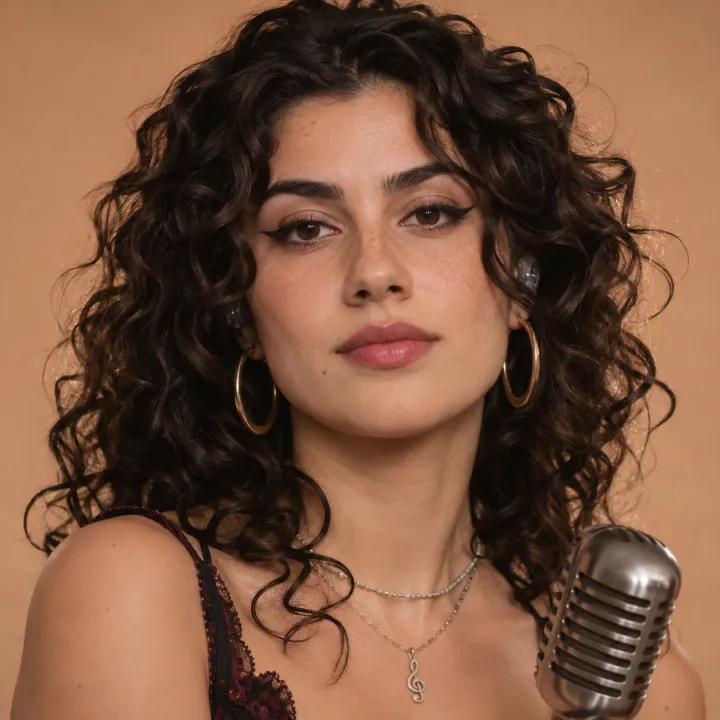
Use: one face, front on
Eyes to the camera, mouth closed and clear, even light, shoulders in the frame.
Upload a photo of yourself, of someone who said yes, or an AI face, and a short part of your song. The face sings it, with the lips in time.
Add one clear, front-facing photo and a song, then pick 3 to 30 seconds of it. Each second of video uses 8 credits, so 10 seconds is 80 credits, and it comes back as an MP4 in your list. If it fails, the credits come back. Use only a face that is yours, made by AI, or one you have permission to use.
Drop an audio file here or
MP3, WAV, M4A or FLAC, up to 20 MB
By making a video you confirm the face is yours, made by AI, or used with the person’s permission. Photos of famous people aren’t allowed.
The face is what moves, so it needs to be seen. All three of these are AI faces.
Eyes to the camera, mouth closed and clear, even light, shoulders in the frame.
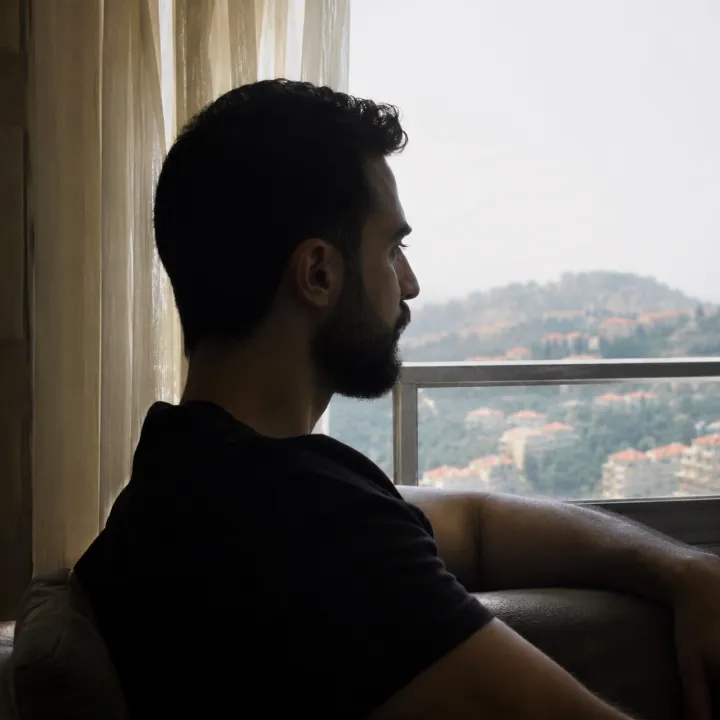
Half a mouth in shadow gives the lips nothing to follow.

Several small faces: crop to one person, as large as you can.
The photo matters most; the song part comes next.
Crop so the face fills about a third of the picture. PNG, JPEG or WebP under 10 MB.
Pick seconds where the voice is loud and steady, not an instrumental gap.
Optional: “sings softly, eyes closed on the long notes” sets the mood.
The limits and the price of each video.
Start short: a few seconds shows whether the photo works.
Front on, well lit, one person. An AI portrait works if you have no photo to use.
Set where it starts and how long, between the sliders’ limits.
You can leave the page; the MP4 appears in your list when it is done.
No. Use your own face, an AI-made face, or a photo of someone who agreed. Photos of famous people aren’t allowed.
3 to 30 seconds, the length of a hook or a chorus.
8 credits for each second, shown on the button before you start. If it fails, they come back.
Songs made here, or any song you have the right to use. A clear lead vocal works best.
Side views, shadows, sunglasses and small faces in groups leave too little mouth to move. Try a front-on, close photo.
Not covered here.Ask us something else
Describe it and get two full songs with clear vocals.
Make a songTwo free songs, no account needed.