Turn your own lyrics into a song
Paste the words you wrote; they are sung as written, part by part.
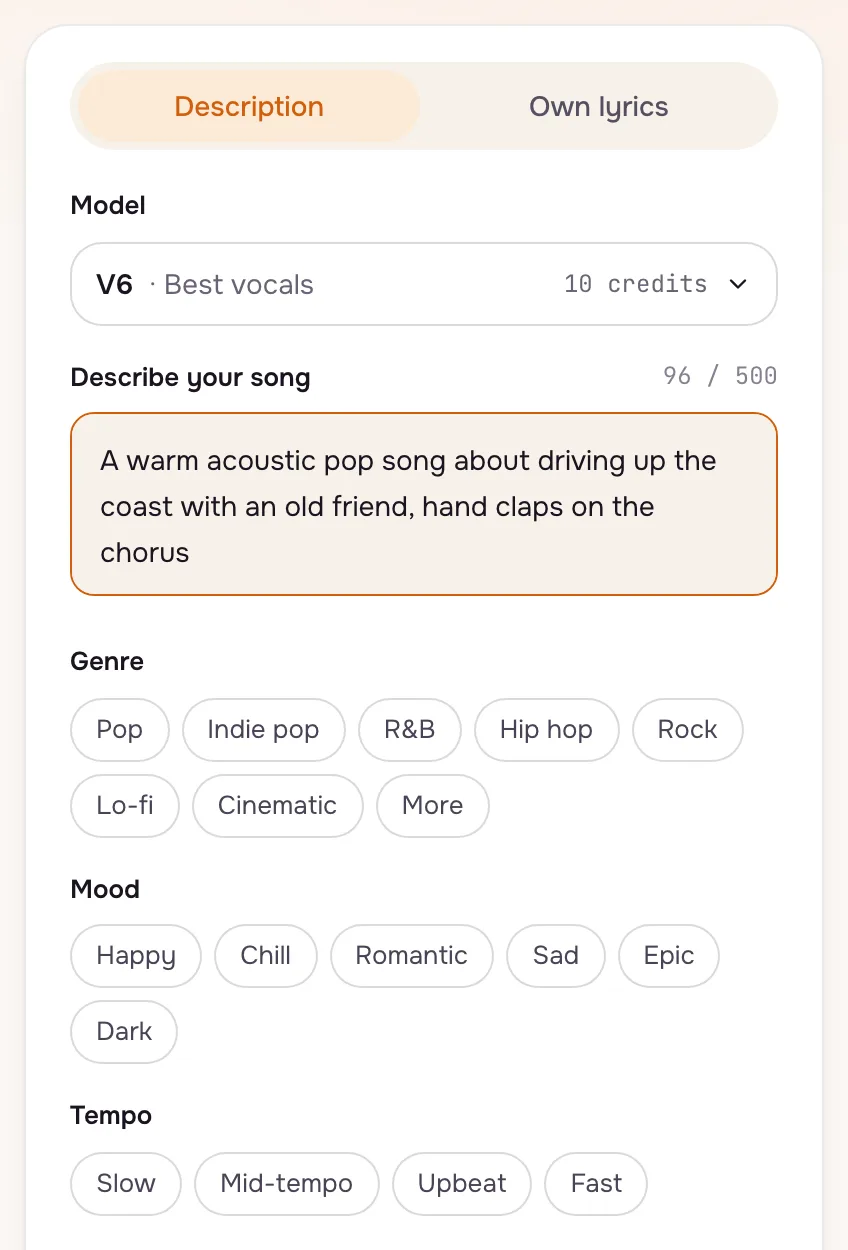
Switch the create form to Own lyrics, paste your words and mark each part with a tag such as [Verse] or [Chorus]. Set a genre, a tempo and an instrument or two, then press Create. The words are not rewritten; Polish with AI is there only if you ask for it.
- 1
Paste the words and keep a voice
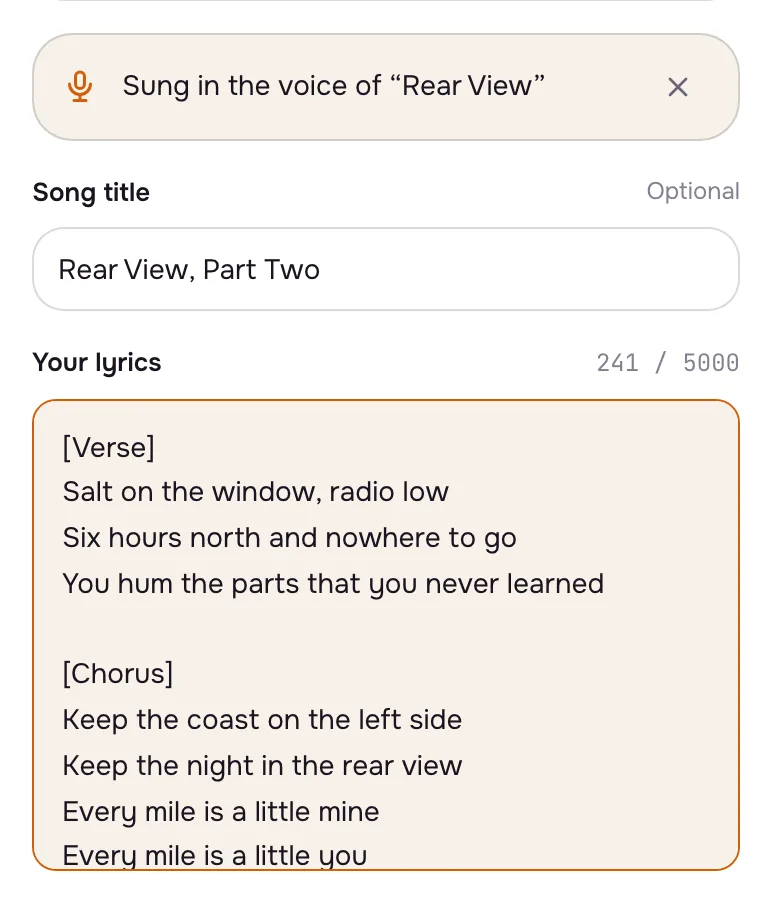
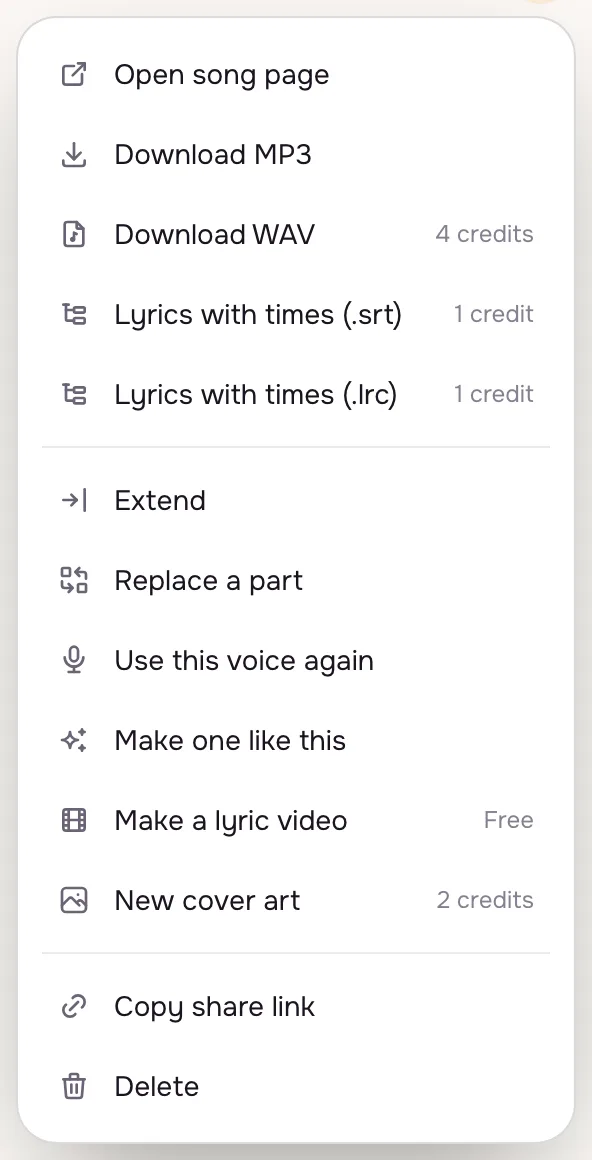
Give the song a title and paste the lyrics. If an earlier song had a singer you liked, open its menu and choose Use this voice again: the voice chip sits above the form and the next song is sung by the same voice, at no extra cost.
- 2
Mark the parts
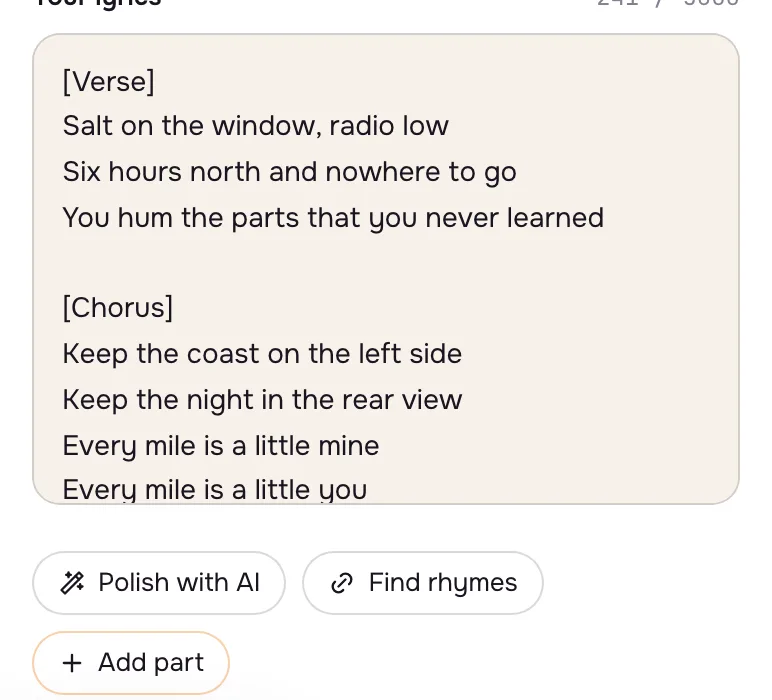
Add part drops a tag where the cursor is: Intro, Verse, Pre-chorus, Chorus, Bridge or Outro. Tags tell the singer where the music lifts and where it repeats, so a chorus written once can come back twice.
- 3
Set the feel
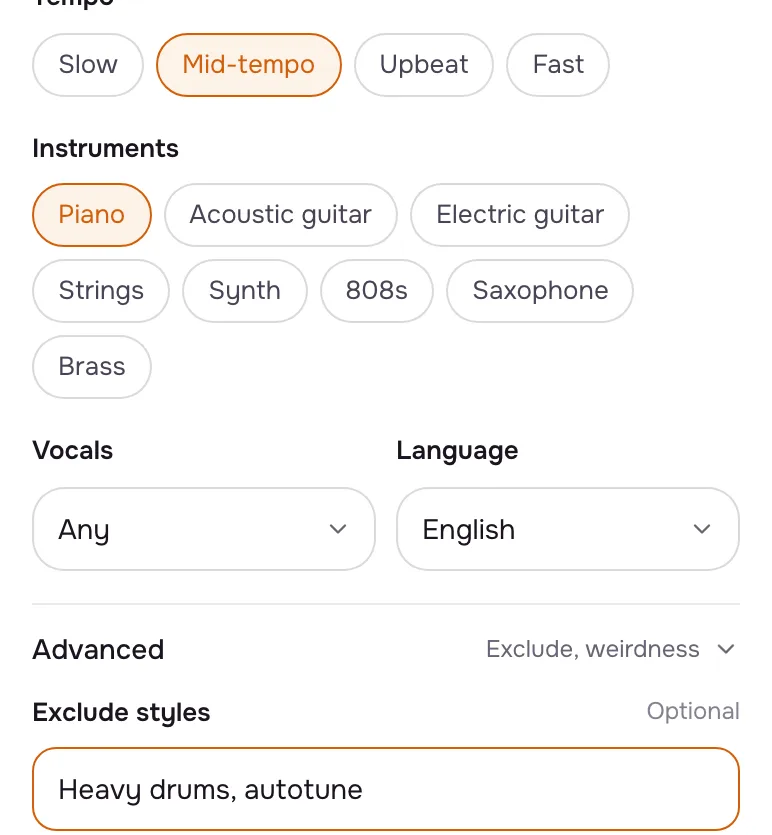
Pick a tempo and the instruments you want to hear. Under Advanced, Exclude styles keeps out what you never want (heavy drums, autotune), and the weirdness and style sliders decide how far the music strays from your words.
Tips that make a difference
- Short lines sing better
Lines of six to ten syllables fit a bar; a long sentence gets rushed.
- Repeat the chorus in full
Writing it out each time it comes back gives you the most control over the order.
- Find rhymes
Stuck on a line end? Select a word and Find rhymes lists words to tap in.
Questions
Will my lyrics be changed?
No. Own lyrics are sung as you typed them. Only Polish with AI rewrites them, and only when you press it.
Can I write lyrics in another language?
Yes. Pick the language chip too, so the singer pronounces them well.
How do I keep the same singer for an album?
Use this voice again on the first song, then make the rest with that voice chip on. It works for sung songs, not covers.
Not covered here.Ask us something else
Try it now
Paste your verses and chorus, mark the parts and set the tempo and instruments. The words are sung as written. A step-by-step guide with screenshots.
Paste your lyrics