Lyrics to SRT and LRC
Turn a song into a subtitle file: every line with the time it is sung. Put the .srt on a video, or the .lrc next to the track in a music player.
Upload the song, check the lines, then save .srt (a start and an end time per line, for video editors and YouTube) or .lrc (a start time per line, for music players and karaoke). One upload gives both, for 1 credit. For a song made here, open its menu and choose Lyrics with times instead: those times come from the song itself.
Drop an audio file here or
MP3, WAV, M4A or FLAC, up to 20 MB
- .srt and .lrc in one go
- 1 credit a song
- Your file is not kept
An .srt made from an uploaded song
The first lines of “Saturday Is Ours”, as the file you would drop on a video.
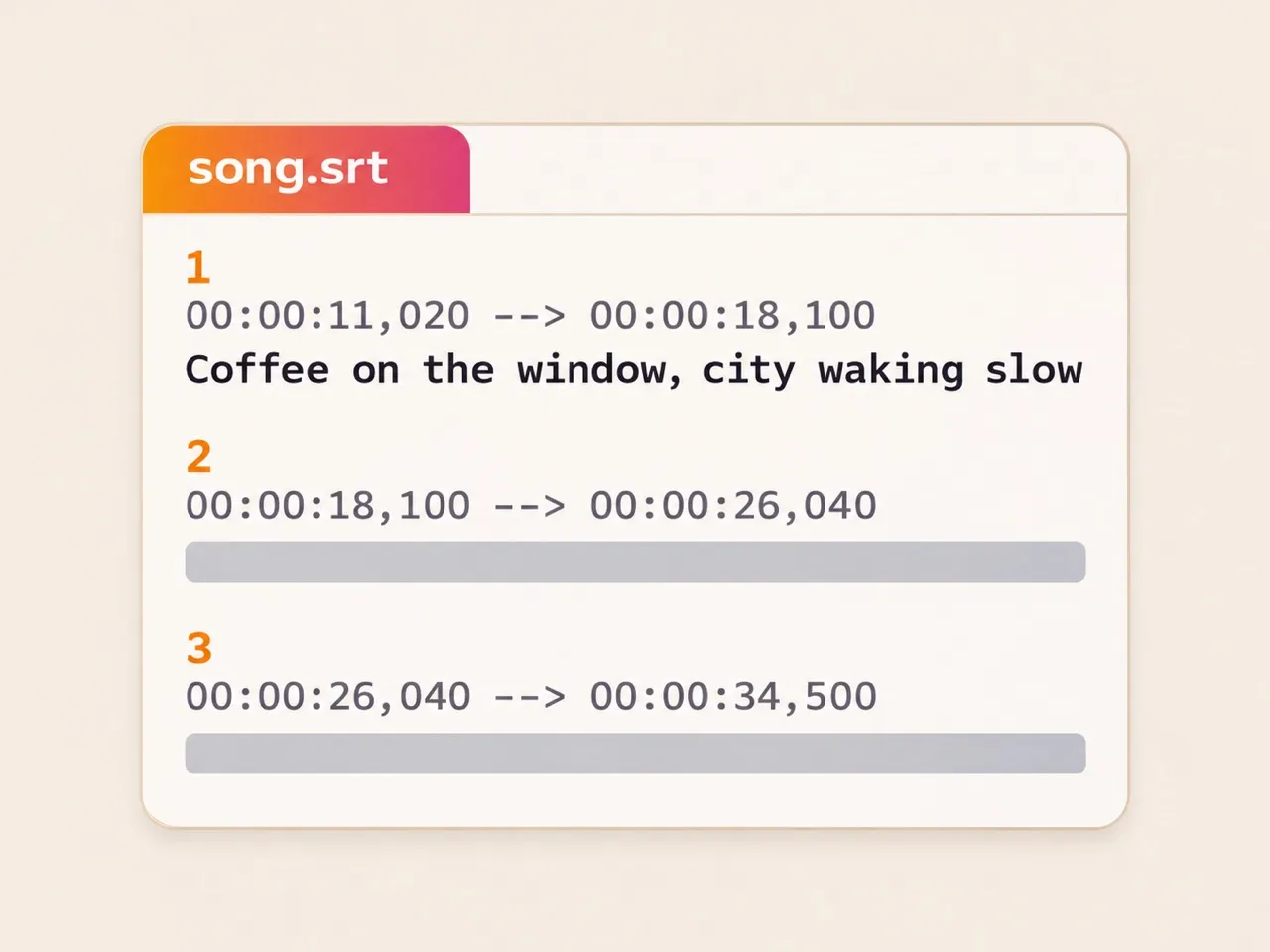
Numbered blocks
A number, a time range, the line, then a blank line: the layout every editor reads.
Down to the millisecond
00:00:11,020 is 11.02 seconds in, where the first verse starts.
Open it in any text editor
Change a word or nudge a time, save it, and it still works.
.srt or .lrc?
Same lines, same times; they are read by different apps.
| .srt | .lrc | |
|---|---|---|
| Each line has | .srt: A start and an end | .lrc: A start |
| Read by | .srt: Video editors, YouTube, VLC | .lrc: Music players, karaoke apps |
| Looks like | .srt: 00:00:11,020 --> 00:00:18,100 | .lrc: [00:11.02] |
| Best for | .srt: Lyrics on a video | .lrc: Lyrics that scroll with the song |
Not sure? Save both: they come from the same listen at no extra cost.
Songs made here: times from the song itself
“Thirty Seconds”, a 29-second song made here, saved from its menu as .lrc.
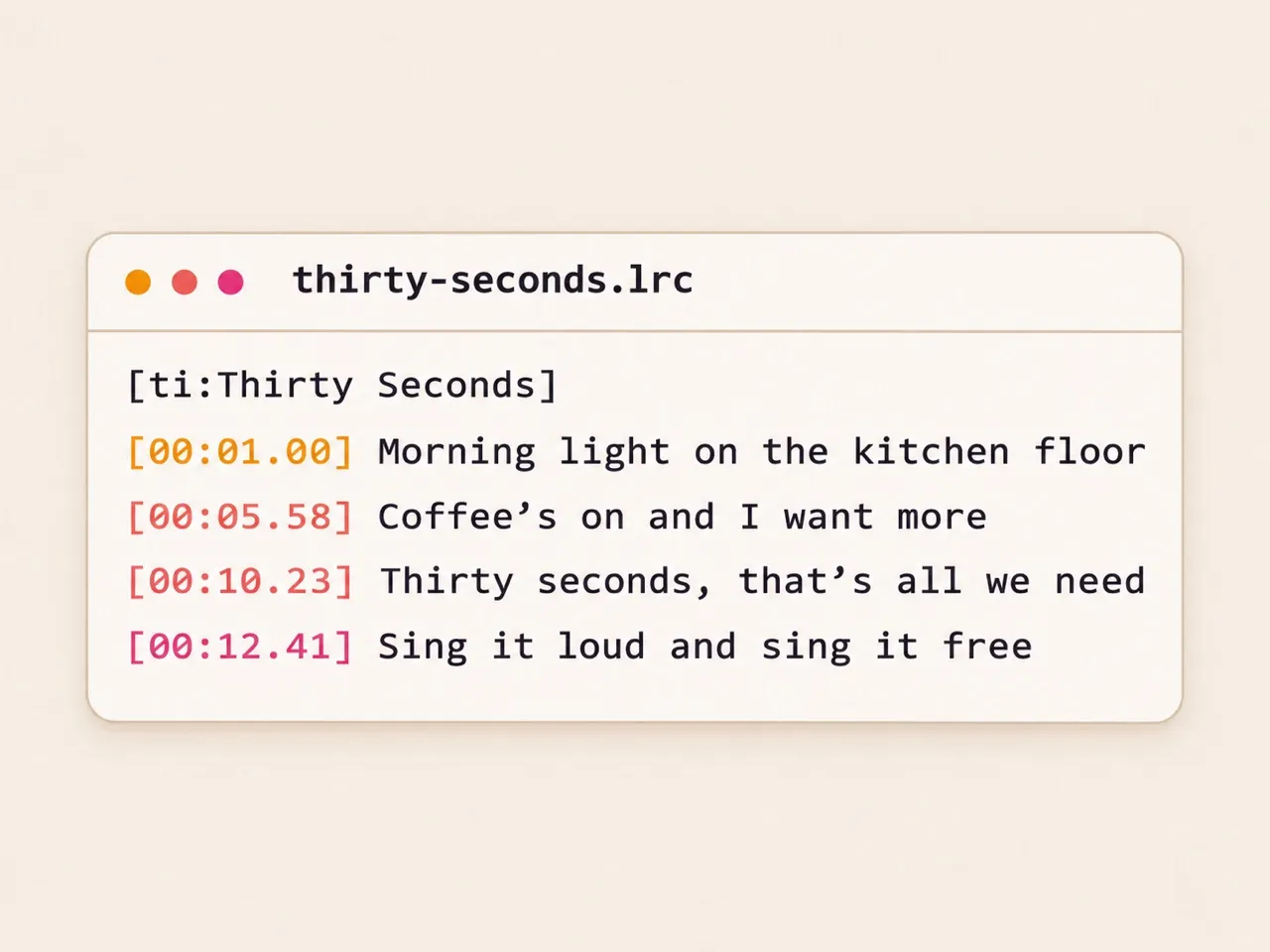
Every word placed
The song maker knows where it sang each of the 25 words, so nothing is guessed.
The words you wrote
Lines come from your lyrics, not from listening, so there are no misheard words.
From the song’s menu
Lyrics with times, .srt or .lrc: 1 credit the first time, free after.
How to turn a song into an SRT file
From an audio file to subtitles on your timeline.
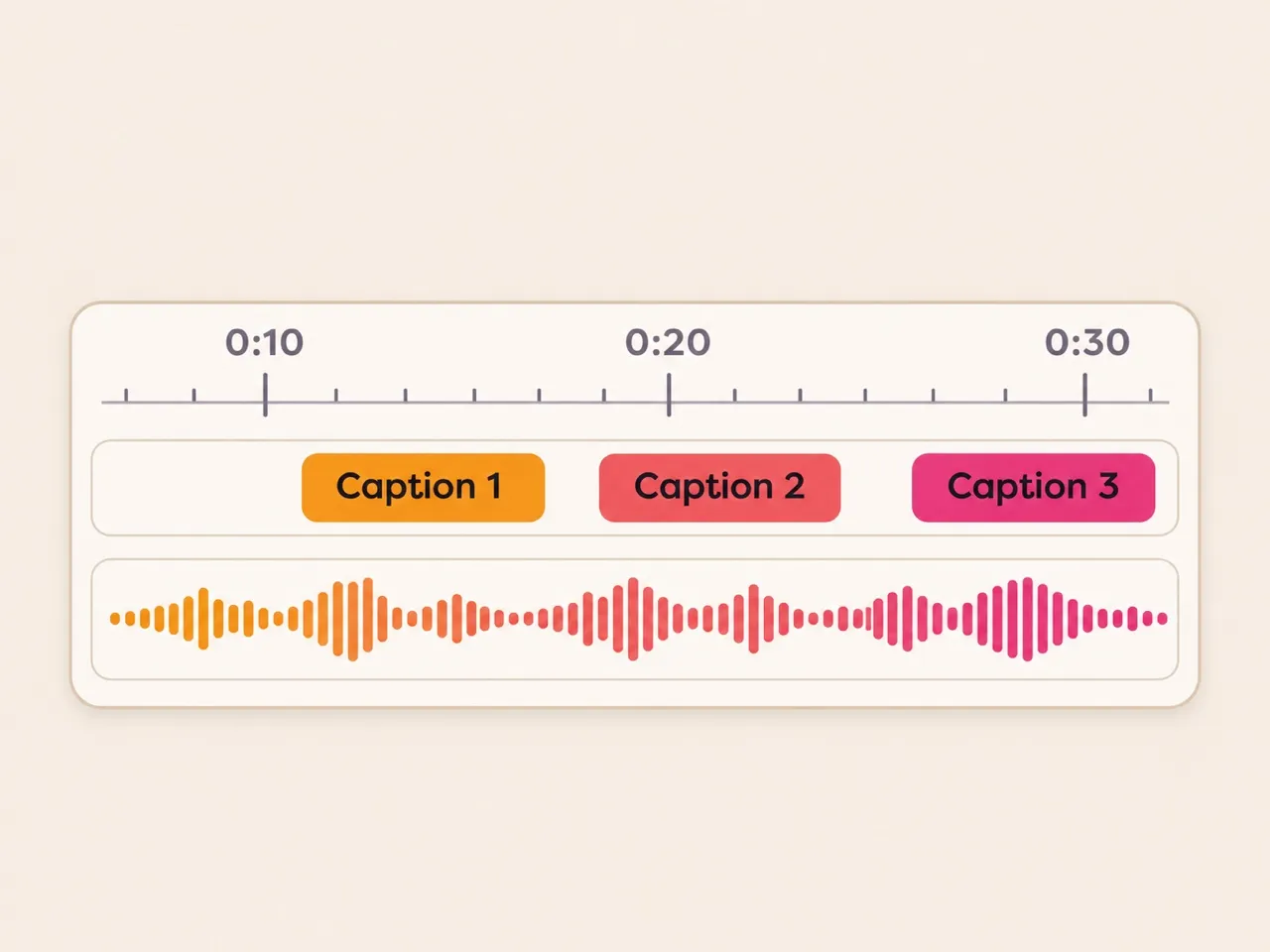
- 1
Upload the song
Up to 20 MB, music and voice together. The first 8 minutes are timed.
- 2
Read the lines
Each one shows its start time. A word can be misheard; you can fix it in the file.
- 3
Save and import
Save .srt and import it as captions in your editor, or save .lrc next to the song.
Questions about lyrics to SRT
How do I add an SRT lyrics file to a video?
Most editors import it as captions or subtitles: drag the .srt onto the timeline, or use Import captions. YouTube takes it under Subtitles, Upload file.
What is the difference between an SRT and an LRC file?
An .srt gives each line a start and an end time and is read by video apps. An .lrc gives each line a start time and is read by music players.
Can I get an SRT for a song I made here?
Yes, from the song’s menu: Lyrics with times (.srt) or (.lrc). It costs 1 credit the first time and is free after; downloads need a purchase on your account.
Can I change the times in the file?
Yes. Both files are plain text. Open one in any text editor, change a time or a word and save it.
Not covered here.Ask us something else
Make a song with its lyrics already timed
Songs made here know where every word is sung: the .srt is in the song’s menu.
Make a songTwo free songs, no account needed.